

VEX competitions are getting more and more popular. Unlike WRO and FLL, which have dedicated organizations in Taiwan handling registration, VEX has a somewhat complicated sign-up process. It's also closer to FRC in format, with regional events you can join. Today we'll show you how to register!

First, go to the VEX competitions site RobotEvents.com, and click the Register button to open the sign-up screen.
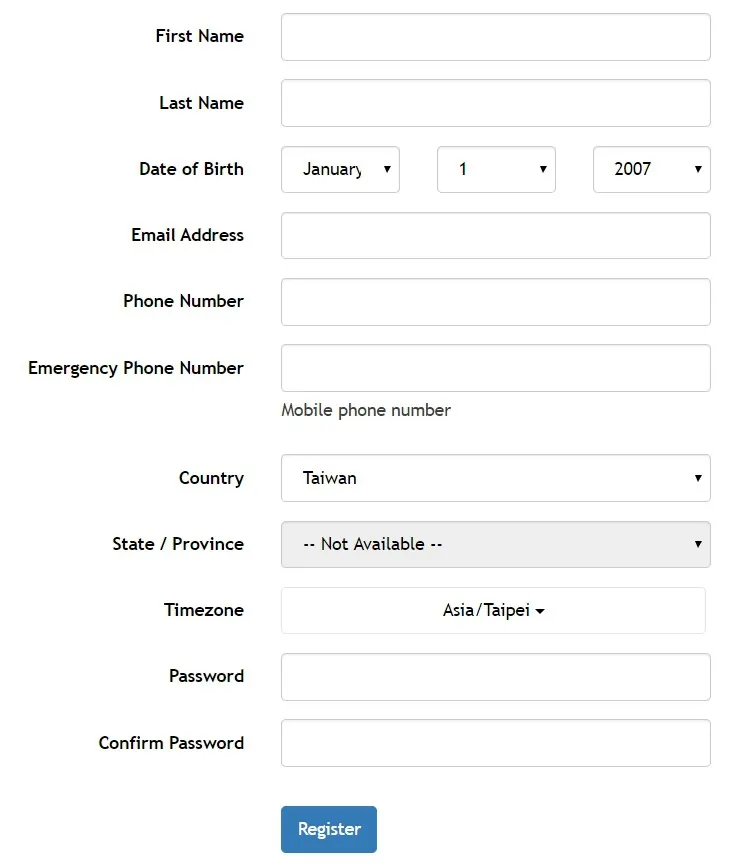
Fill in all the information accurately. Don't enter anything carelessly.
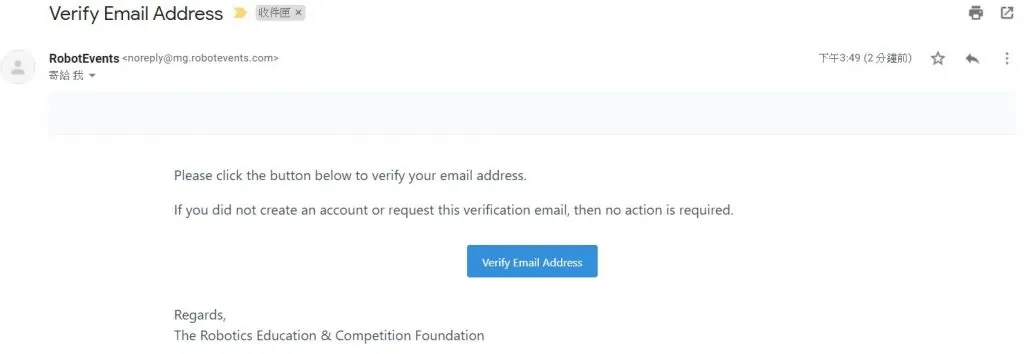
Next, check the email address you entered for the verification email and activate your account.
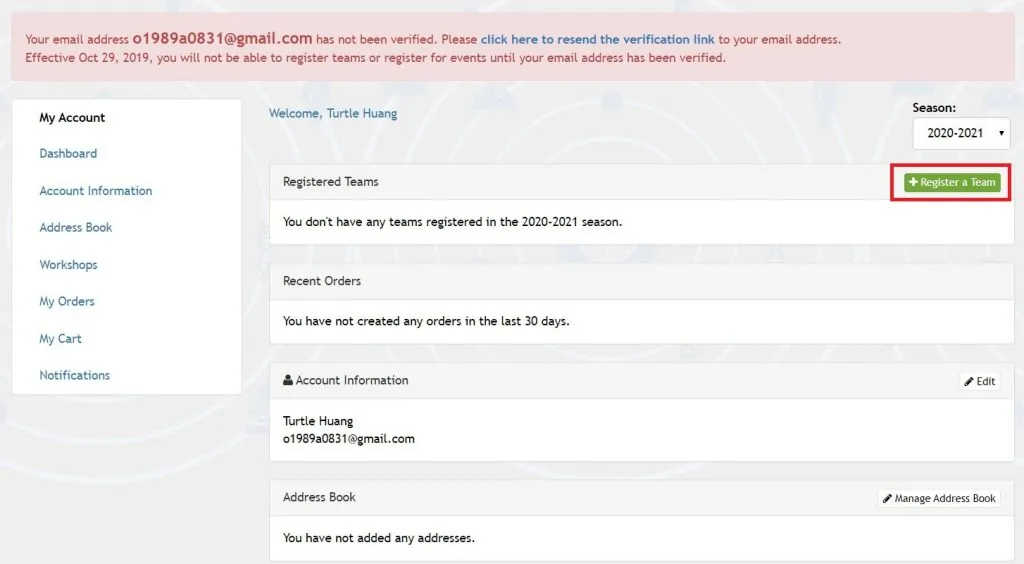
Once your account is verified, click Register a Team to register your team!
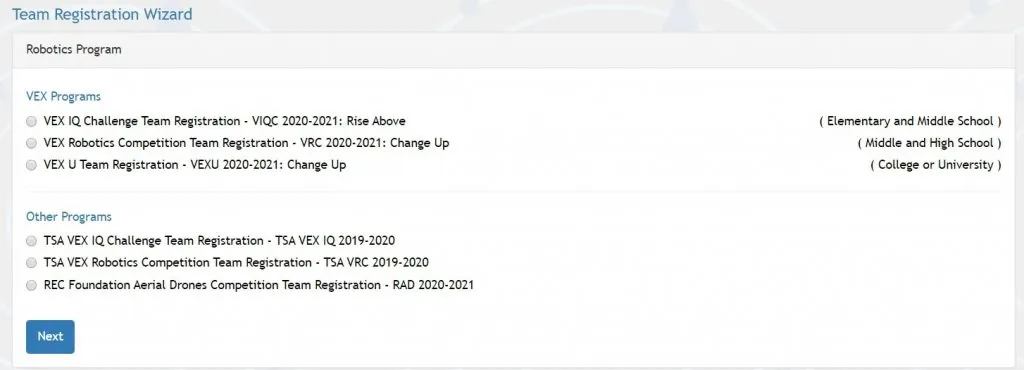
First, choose your team type: VEX IQ, VEX V5 (VRC), VEX U, and so on. TSA is a format found only in the US.
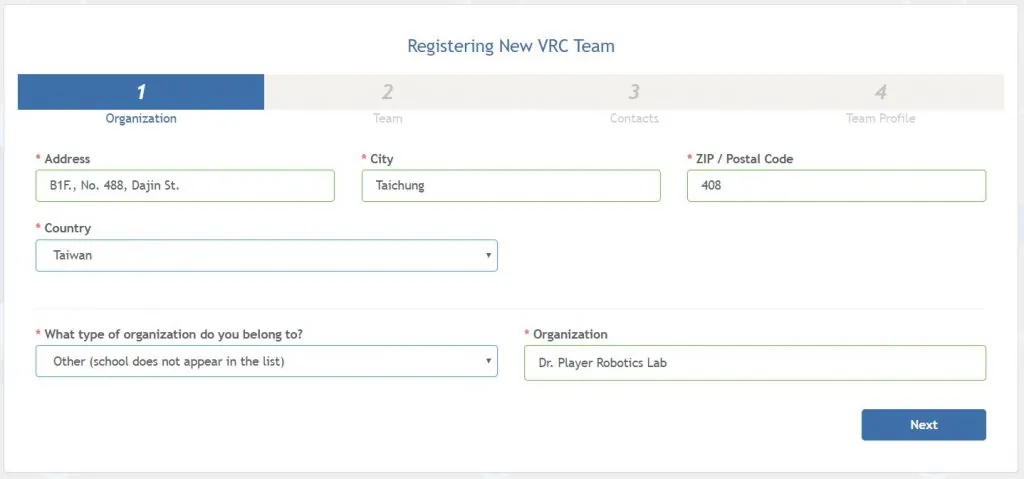
Next, enter the team's address (in English, so that items related to the competition can be shipped). The Organization field below refers to your school (and level) and your organization's name.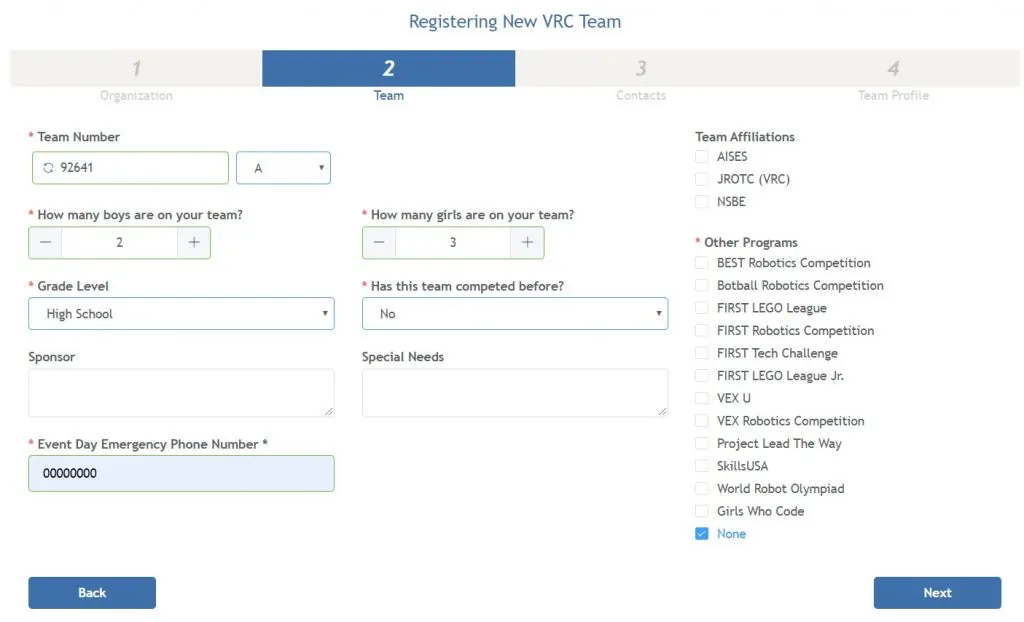
Next, give your team a number (for example, 92641A), then fill in the number of members, education level, sponsors, and other details, plus a survey on competition experience.
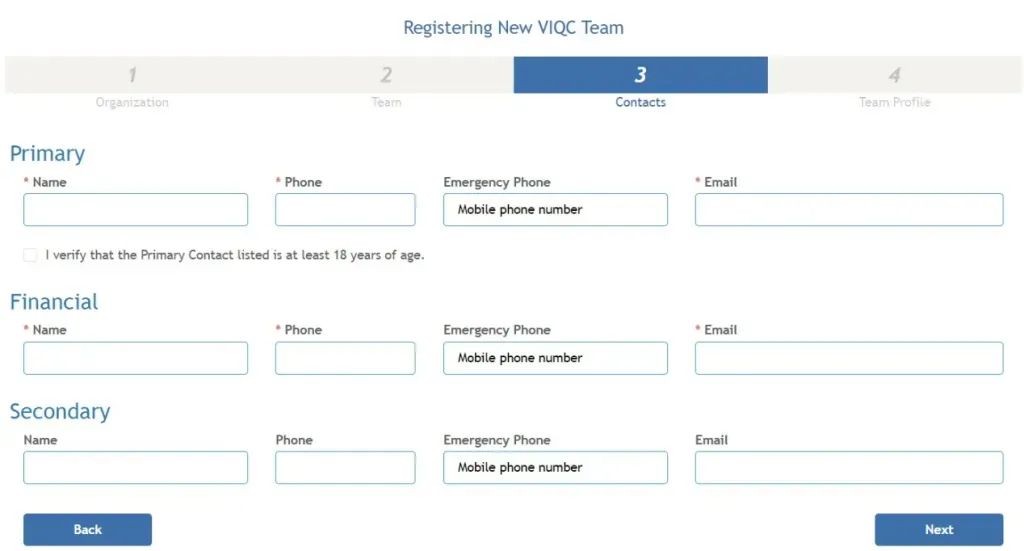
Next, enter information about your advisor and coaches.
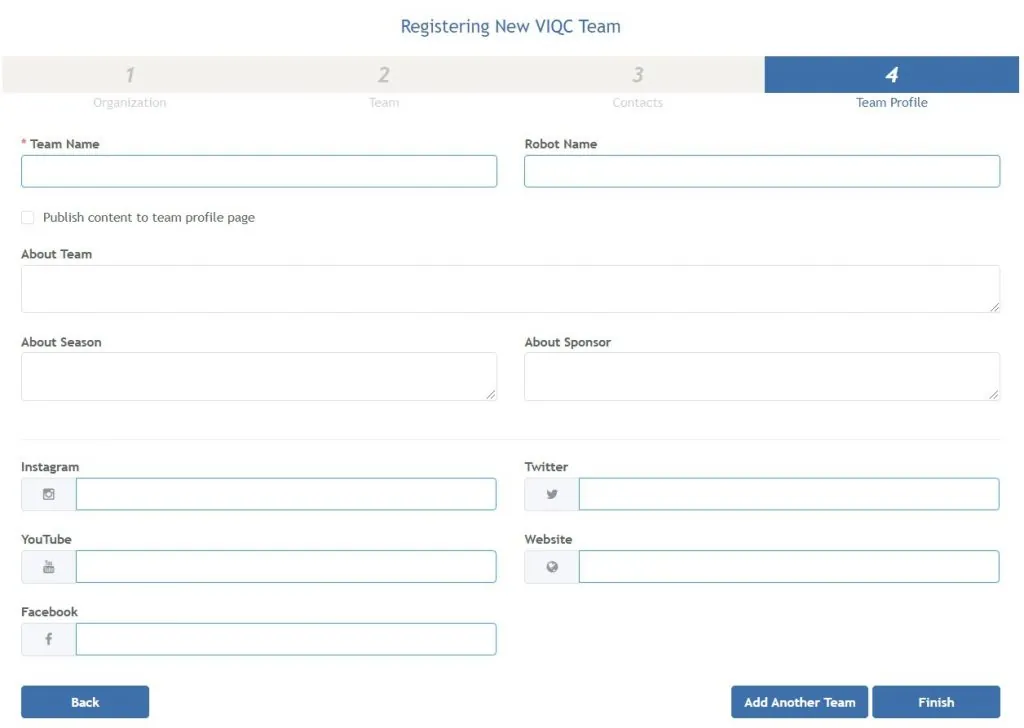
Finally, paste in your team's introduction and links to your social media pages.
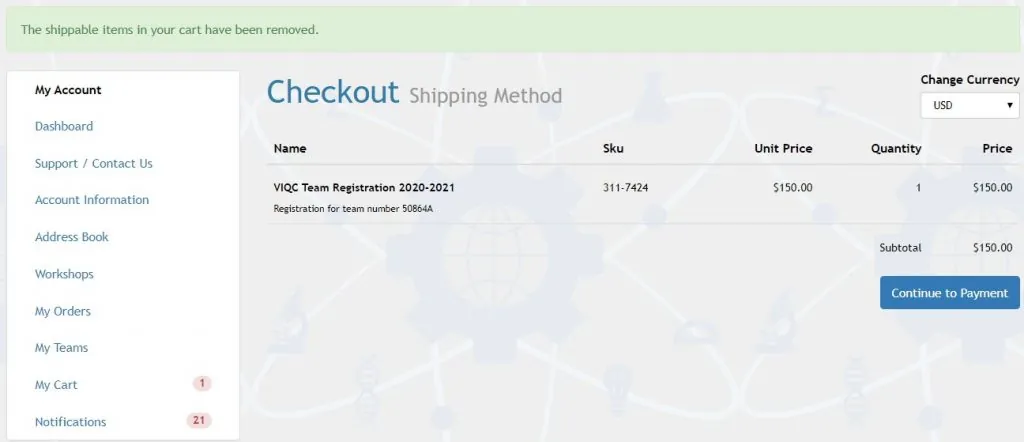
Once that's done, you're ready to pay. Note that you must pay before registering for any event.
Within the same organization, the first team costs US$150, and each additional team costs US$100.
Completing team registration is like getting an ID card.
(Oh, and you have to renew every year to keep this ID card valid. Of course, you can change your team name and number each time you renew.)
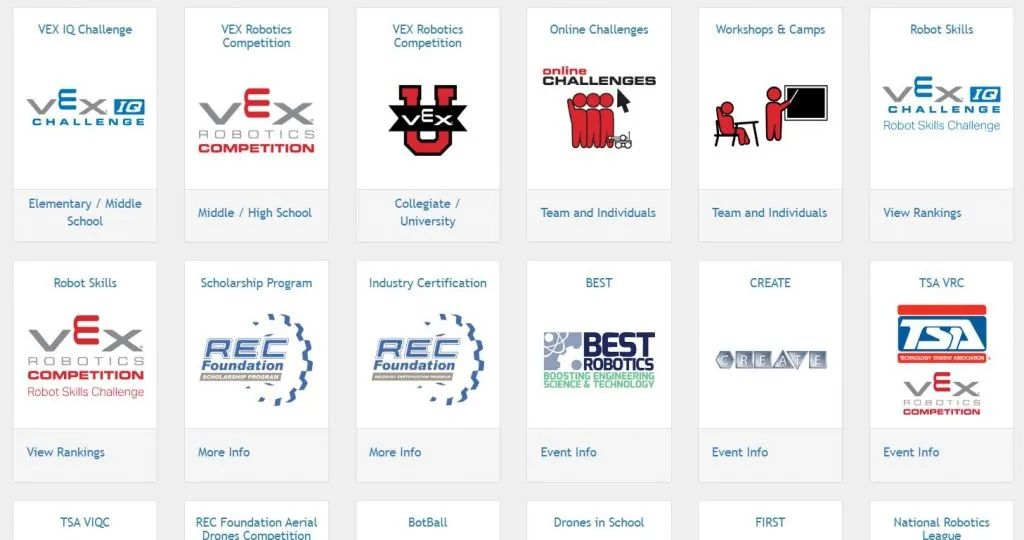
After registering your team, you can choose events. (This platform actually has quite a lot of events you can join.)
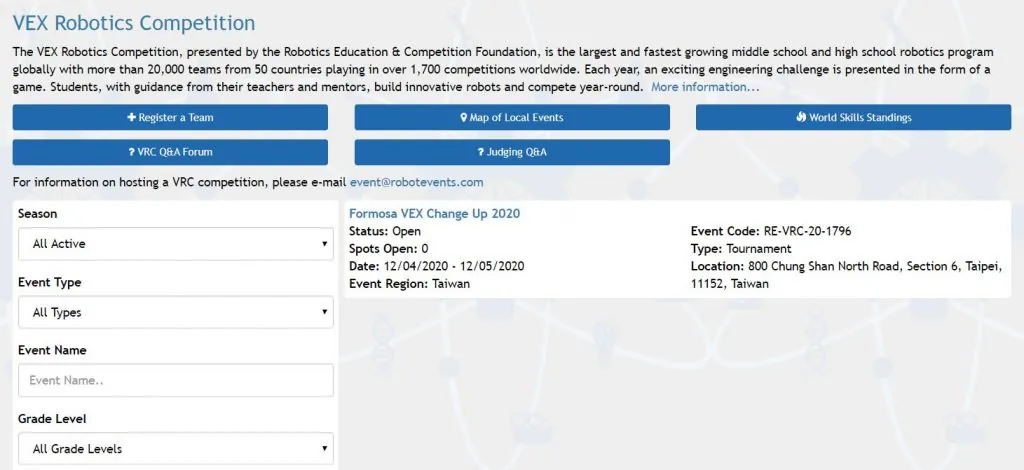
As you can see, because of the pandemic there are very few events right now. The only one listed is the December VRC event hosted by Taipei American School (the only one in the world, and registration filled up the moment it was posted).
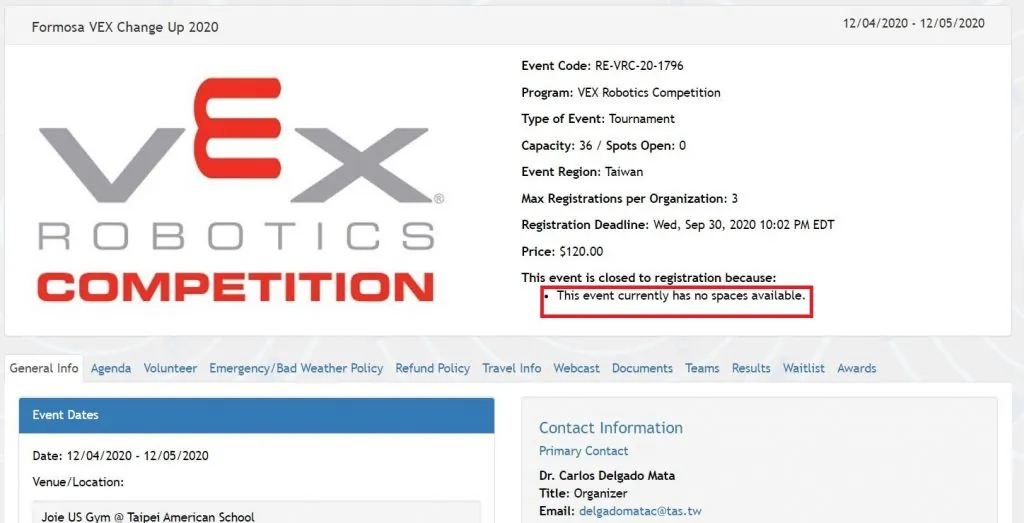
Open the event page and you'll see the details. To register, click the registration button (in the red box in the image). Since it sold out immediately, it shows no spots left.
You also have to pay a registration fee after signing up (different from the team registration fee you just paid). For example, this event costs US$120.
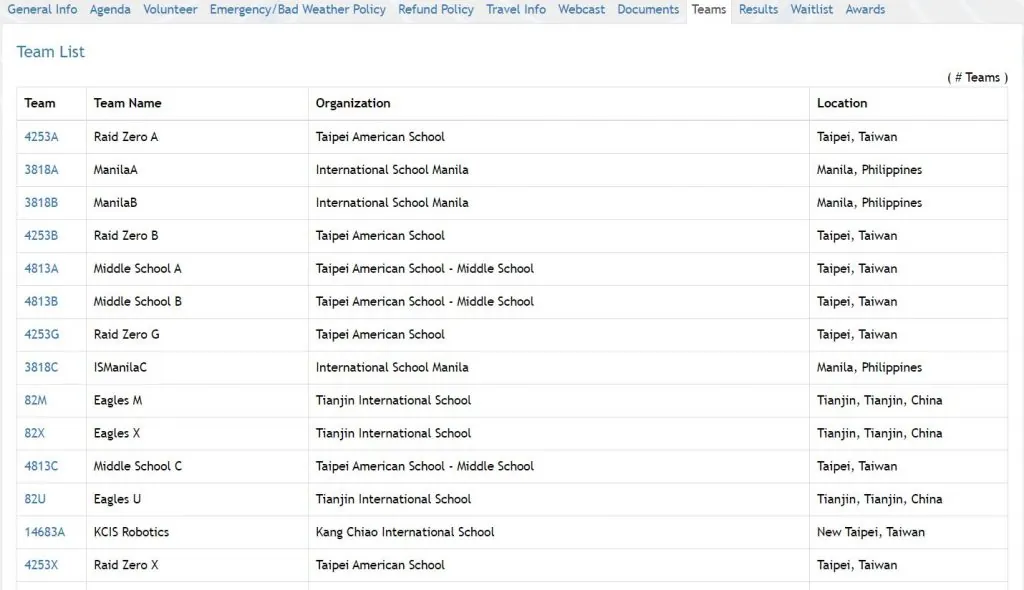
Click Teams to see all the registered teams. Also, for each event the organizer can limit how many teams from the same organization may register (perhaps 3 to 6 teams). This is set by the organizer.
Once you register successfully, you'll receive a welcome kit with small items, an engineering notebook, and a team number plate.
We hope the pandemic eases soon so life can get back to normal!